Whatsapp icon

iPad 10th vs 11th Gen: Kenya Student Guide

Choose between iPad 10th Gen and iPad 11th Gen A16 in Kenya by matching storage, study habits, accessories and budget to how you learn and create.


Umoja Marketplace logo
Admin

Published on 30 Sep, 2026


iPad 10th vs 11th Gen: Kenya Student Guide | Umoja Marketplace

An iPad can be a very useful study device, but the right model depends less on the word ‘student’ and more on the way you work. Reading notes, joining calls, annotating documents, drawing, editing media and using a keyboard all make different demands on storage and accessories.

Explore Umoja’s Apple range and compare the current options below before ordering.

Notes, reading and handwritten work

If handwriting is central to your plan, choose a compatible stylus and test the application you expect to use. Apple lists the supported accessories in the 10th-generation specifications and iPad A16 specifications. Compatibility should be checked by exact Pencil model rather than assuming that every Apple Pencil works with every iPad. Pairing and charging arrangements can also differ, so include any required adapter in your budget.

Try annotating a PDF, drawing a small diagram and moving between notes and reading material. These tasks reveal whether the screen size and input feel suit you. A pen is useful when you genuinely write or sketch, but it need not be the first accessory for someone who mainly types. Think about how the finished notes will be backed up and accessed from another device. Owning the tablet is only part of building a dependable study system.

Storage for a semester and beyond

Compare the storage capacities in the actual offers. Course downloads, scans, recordings, applications and offline video can occupy more space than a basic note-taking demonstration suggests. Decide how much material must remain available without internet access. A small capacity may work with careful file management and online storage, but that arrangement depends on connectivity and a consistent backup routine. It should be a deliberate choice rather than a surprise after purchase.

Storage is not normally something you can upgrade inside an iPad later. An external drive can help with supported file workflows, but it is not identical to having more internal application space. Check the apps and connection requirements before relying on one. If you record long lectures or keep large media projects, budget for a configuration that handles them comfortably. Leave room for software updates and new course materials over the period you expect to keep the device.

Start with your course, not the generation number

An iPad can be useful for reading, handwriting, research and attending lessons, but suitability depends on the work your course requires. Before choosing between the 10th-generation iPad and the iPad with A16, list the applications and file formats you need. A tablet that handles notes beautifully may still be unable to run a particular desktop application required for engineering, statistics or another subject. Confirm those requirements with the course or software provider before treating a tablet as your only computer.

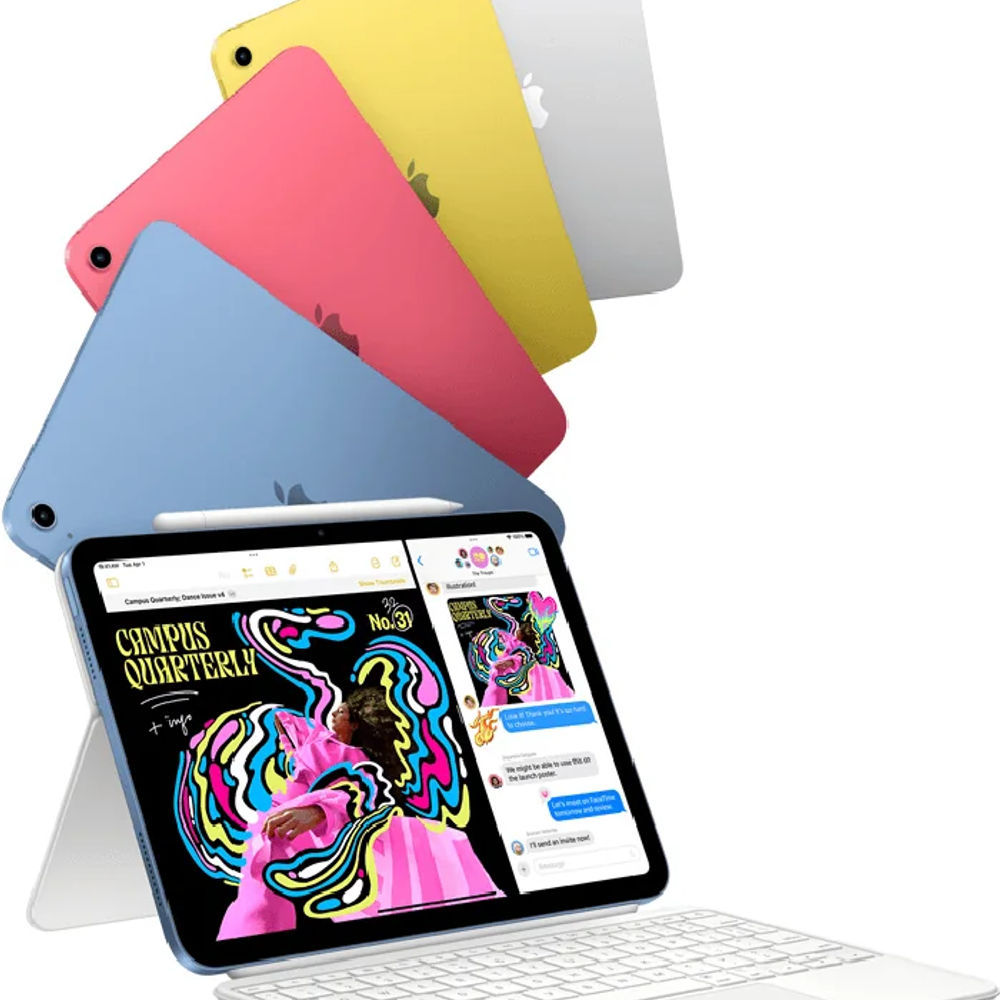
Many retailers refer to the iPad with A16 as the 11th-generation model. Use Apple's official product identifier and specifications when comparing accessories and features. The shorthand is useful for finding a listing, but the actual hardware name is the safer reference. Match the model, storage and connectivity option, then decide whether the price difference improves your study routine. A newer generation alone does not answer that question.

Test an assignment before committing

Use a sample of the work you expect to submit. Open a PDF, type a short document, export it to the required format and upload it through the learning platform. If handwriting matters, annotate a page and check that the notes remain readable when shared. That simple exercise can reveal a software or file-management limitation that a general demonstration misses.

If you intend to work offline, disconnect the network and confirm which materials and apps remain usable. Reconnect and verify synchronisation afterwards. A tablet can be an excellent study companion when those steps are clear, but you should not discover a connectivity requirement during an assignment deadline. Build the test around your course and the accessory configuration you intend to buy.

Keyboard, case and the total cost

A keyboard can make essays, email and online forms easier, but it changes the price and carrying weight of the setup. Check the exact case or keyboard compatibility with the chosen model. Similar dimensions do not guarantee that camera cutouts, connectors and attachment points match. If you already own an accessory, verify its model identifier before assuming it transfers to the newer tablet.

For long writing sessions, assess the desk arrangement. Some keyboard cases work best on a firm surface and feel less stable on your lap. A separate stand and keyboard may suit a fixed study desk, while a combined case is convenient for travel. Include the stylus, protection and any adapter you need in the comparison. A tablet that looks cheaper by itself may cost more once configured for the way you intend to study.

Buying used and setting up ownership

A used iPad should be removed from the previous owner's account and ready for normal activation. Check for Activation Lock and organisational management during setup. A school or business device that remains managed may not be suitable for independent ownership. Do not accept a promise to bypass a restriction later. The seller should supply a device whose ownership and setup are clear at the time of purchase.

Inspect the display, buttons, charging port, speakers and cameras. Check the exact storage and connectivity option in settings. Confirm the condition and written support terms on the invoice. For delivery, inspect promptly and follow the retailer's reporting procedure if something differs from the order. These checks are useful for either generation and prevent a model comparison from distracting you from the actual unit's condition.

Performance and the features you expect

The newer chip can offer advantages, but ordinary notes, reading and browsing are not the same workload as editing a substantial video project. Evaluate the apps you use rather than assuming that processor improvements are equally visible everywhere. If the older tablet already meets your needs, the newer model's value may lie elsewhere, such as the available storage option or remaining support period. Compare the complete configuration.

Do not infer support for every advertised Apple feature from the word iPad. Hardware requirements can exclude particular models even when they run a current version of iPadOS. If an AI function, external-display mode or creative tool is essential to you, check Apple's model-specific requirements. Buy the feature that is explicitly supported rather than expecting it to appear because the device is newer than another one.

Tablet software versus desktop software

Check your learning platform, browser requirements and any specialist applications. A mobile app may offer fewer features than its desktop counterpart. File uploads, spreadsheets, coding tools and examination software deserve specific verification. Ask whether your institution officially supports the intended device for the tasks that matter. Avoid relying on a general claim that an iPad can replace a laptop when your course uses a particular programme that it does not run.

You can also combine an iPad with access to a computer. The tablet handles notes and reading, while the computer handles desktop-only work. That arrangement can be excellent if access is dependable, but shared-lab availability or a borrowed laptop should be considered honestly. Remote-access services can be useful in some situations, yet they require connectivity and another machine or service. They should not be assumed to remove every compatibility limitation.

Current Umoja options

Use these existing Umoja listings to check the exact configuration, current price and availability. A linked product is an option to compare, not a guarantee of stock for every variant.

Which student should choose which?

Someone who needs a companion for reading and notes may find a well-priced 10th-generation configuration sufficient, provided the storage, condition and accessory costs make sense. Someone buying for several years of use should compare the A16 option carefully, including its storage and supported features. A student with desktop-specific software requirements should first establish access to a suitable computer, whichever iPad they prefer.

Use Umoja's live listings to compare current options and prices, then verify the accessory combination against Apple's documentation. Choose the setup that lets you complete the actual assignment, keep materials organised and work within your budget. That is a better measure of student value than selecting the newer generation without checking what it adds to your course.

Wi-Fi or cellular

A Wi-Fi model can be sufficient if you have reliable campus and home access or a suitable phone hotspot. A cellular model adds hardware for mobile connectivity, but you still need a compatible service and data plan. Verify the SIM or eSIM arrangement of the exact version and the network requirements before paying more. The presence of cellular hardware does not include unlimited connectivity or guarantee reception everywhere you study.

Think about how you commute and where you read offline. Downloading course material before leaving can reduce dependence on mobile data. If you regularly join live sessions away from Wi-Fi, independent connectivity may be valuable. Compare that benefit with the cost difference and recurring data expense. Choose based on the routine you actually have rather than buying cellular simply because it is described as the higher specification.

Battery, charging and long study days

Manufacturer battery estimates use stated conditions. Video calls, brightness, cellular reception and demanding applications can change endurance. Think about where you can recharge during a normal day and whether your bag already includes a suitable USB-C adapter and cable. A compatible charger should meet the device's requirements; purchasing a high-wattage adapter does not make the iPad accept unlimited power.

For a used or refurbished iPad, ask about battery condition and test normal charging and unplugged operation. A tidy case does not prove that the battery is in good shape. If you need dependable use away from sockets, that condition can be more important than a modest difference in purchase price. Keep the device ventilated when charging and follow Apple's operating guidance rather than covering it under books or bedding.

Shop the shortlist

The most useful iPad is the one configured for your actual course load and files. Build the budget around the tablet and the accessories you will genuinely use.

Before checkout, review Umoja’s Delivery Policy, Return Policy and the exact product configuration you selected.


Umoja Marketplace logo
Admin

Published on 30 Sep, 2026


Read next

Fast & Secure Delivery

Same-day available in Nairobi.

Genuine Products

Sourced from official distributors.

Easy Returns

On faulty, wrong or damaged items.

Pro Quality Support

Call & WhatsApp: Mon–Fri 8am–8pm, Sat 10am–2pm, Sun closed.